

About Course
Overview
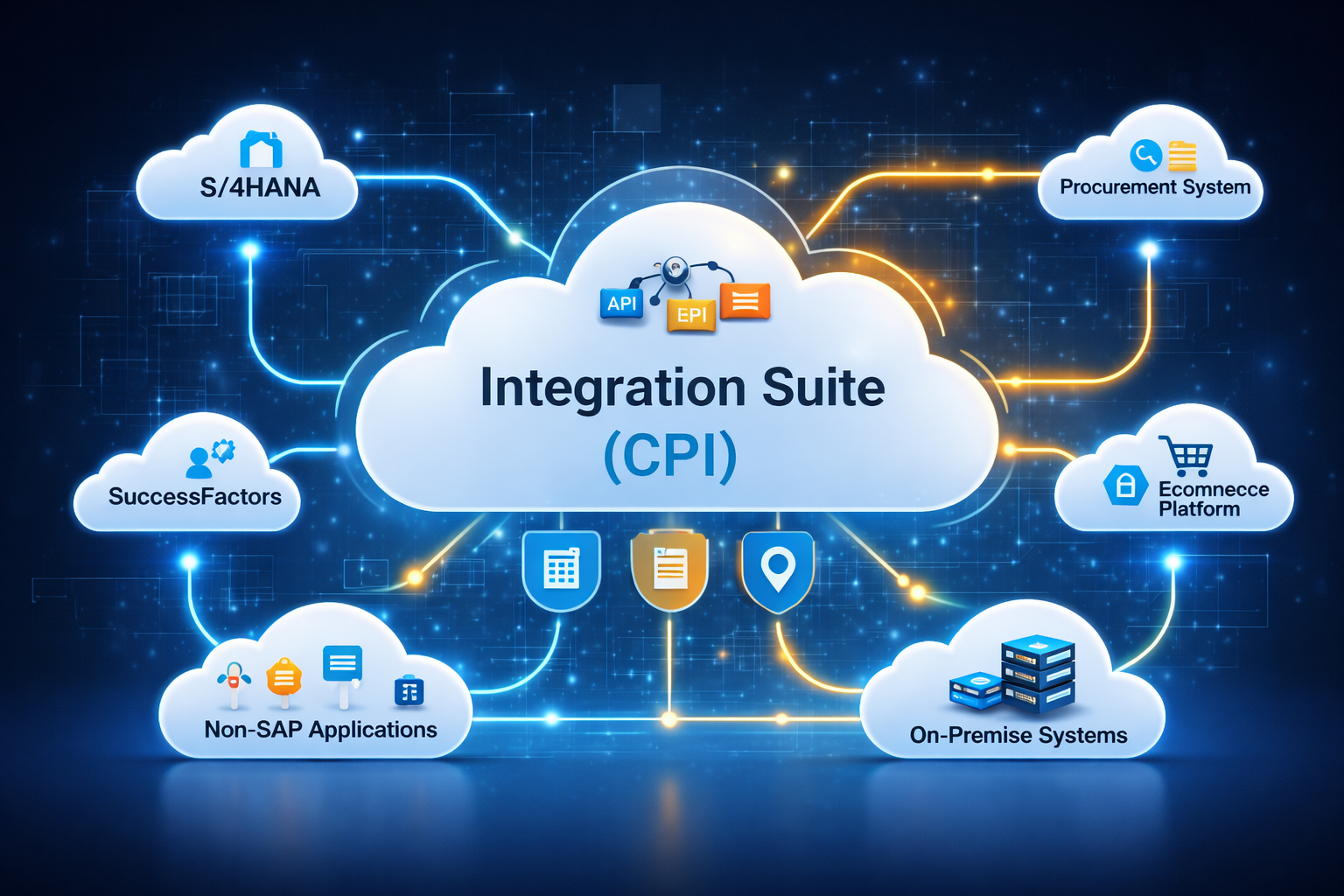
SAP Integration Suite, earlier known as SAP Cloud Platform Integration (SAP CPI), is SAP’s strategic cloud integration platform built on SAP Business Technology Platform (SAP BTP). It enables enterprises to connect, integrate, and orchestrate data and processes across SAP and non-SAP systems in a secure, scalable, and real-time manner.
In modern enterprises, business landscapes are highly distributed—combining SAP S/4HANA, legacy SAP systems, cloud applications, third-party platforms, APIs, and on-premise systems. SAP Integration Suite acts as the central integration backbone that ensures seamless communication across this complex ecosystem.
Purpose of SAP Integration Suite in SAP Landscape
The primary purpose of SAP Integration Suite is to eliminate system silos and provide a standardized, future-ready integration framework for SAP customers.
Why SAP Needs Integration Suite
Earlier, SAP customers relied heavily on:
- Point-to-point integrations
- SAP PI/PO (on-premise middleware)
- Custom interfaces with high maintenance cost
As enterprises moved to cloud, hybrid, and multi-cloud environments, SAP introduced Integration Suite to:
- Support cloud-first integration
- Reduce infrastructure dependency
- Enable API-based and event-driven integration
- Provide prebuilt integration content
SAP Integration Suite is now a core pillar of SAP’s clean core and intelligent enterprise strategy.
What Is SAP CPI (Cloud Platform Integration)?
SAP CPI is the runtime integration engine within SAP Integration Suite. It allows developers to design and execute integration flows (iFlows) that define how messages move between sender and receiver systems.
SAP CPI handles:
- Message routing
- Data transformation
- Protocol conversion
- Security and authentication
- Error handling and monitoring
It supports both synchronous and asynchronous integrations, making it suitable for real-time as well as batch-based scenarios.
Key Capabilities and Usage
- System-to-System Integration
SAP CPI is widely used to integrate:
- SAP S/4HANA (Cloud & On-Premise)
- SAP ECC
- SAP SuccessFactors
- SAP Ariba
- SAP Concur
- Third-party SaaS applications
- Legacy and custom systems
It ensures reliable data exchange across different protocols and formats.
- Cloud and Hybrid Integration
One of the strongest use cases of SAP CPI is hybrid integration, where cloud systems must communicate securely with on-premise SAP systems.
Using SAP Cloud Connector, organizations can:
- Expose on-premise systems securely
- Avoid firewall complexity
- Maintain strict security compliance
This is critical during S/4HANA migration and system modernization projects.
- Data Transformation & Mapping
Different systems speak different “languages.” SAP CPI solves this by offering:
- XML to XML mapping
- JSON to XML conversion
- CSV and flat-file handling
- Message enrichment and filtering
This allows seamless communication even when source and target systems use different data structures.
- API-Led Integration
SAP Integration Suite promotes API-first architecture:
- Expose SAP data as secure APIs
- Consume external APIs
- Enable microservices-based integration
- Improve reusability and scalability
This aligns with modern digital transformation and cloud-native strategies.
- Prepackaged Integration Content
SAP provides prebuilt integration flows, mappings, and APIs through SAP’s integration content library.
Benefits:
- Faster implementation
- Reduced development effort
- SAP-supported best practices
- Lower project risk
This is heavily used in standard SAP-to-SAP integrations.
Business Use Cases
SAP Integration Suite is commonly used for:
- S/4HANA ↔ SuccessFactors employee data integration
- S/4HANA ↔ Ariba procurement integration
- ECC ↔ Third-party logistics systems
- Master data synchronization
- Finance and invoice data exchange
- API exposure for mobile and web applications
- Event-driven integration scenarios
These integrations reduce manual work, eliminate errors, and improve business agility.
Who Can Learn SAP Integration Suite / SAP CPI?
This course is suitable for both technical and techno-functional professionals.
Ideal Learners Include:
- SAP CPI / Integration Developers
- SAP PI/PO Consultants migrating to cloud
- SAP BTP Developers
- SAP Technical Consultants
- Integration Architects
- Middleware & ESB Professionals
- S/4HANA Technical Consultants
- IT professionals working on digital transformation
Basic knowledge of:
- SAP systems
- Web services
- XML / JSON
- HTTP / REST
is helpful but not mandatory.
Why Learn SAP Integration Suite?
From a Career Perspective
- High demand globally
- Mandatory skill for SAP cloud projects
- Strong relevance in S/4HANA programs
- Excellent long-term career growth
From a Business Perspective
- Faster system integration
- Reduced operational costs
- Improved data consistency
- Secure and scalable architecture
- Supports SAP clean core strategy
Role of SAP Integration Suite in SAP BTP
SAP Integration Suite is a foundational service in SAP BTP and works closely with:
- SAP Build Process Automation
- SAP Workflow Management
- SAP API Management
- SAP Event Mesh
- SAP Extension Suite
Together, these services enable:
- End-to-end business process automation
- Event-driven architectures
- Intelligent enterprise scenarios
Without Integration Suite, SAP BTP solutions cannot communicate effectively across systems.
Strategic Importance in SAP Roadmap
SAP has clearly positioned Integration Suite as:
- The successor to SAP PI/PO
- The standard integration platform for SAP cloud customers
- A long-term strategic investment area
Organizations moving to RISE with SAP, S/4HANA Cloud, or hybrid landscapes will inevitably require SAP Integration Suite.
Conclusion
SAP Integration Suite / SAP CPI is not just an integration tool—it is the digital glue of the SAP ecosystem. It enables enterprises to connect systems, automate data flows, expose APIs, and build scalable, future-ready integration architectures.
For professionals, learning SAP Integration Suite means staying relevant in the cloud era.
For organizations, adopting it means faster innovation, lower costs, and seamless digital transformation.
📘 SAP Integration Suite / SAP CPI – Course Content
SAP Integration Suite (earlier known as SAP Cloud Platform Integration – CPI) is SAP’s cloud-based integration platform on SAP Business Technology Platform (BTP). It enables organizations to integrate SAP and non-SAP systems, both cloud and on-premise, using secure, scalable, and API-driven integration patterns.
🔹 Module 1: Introduction to SAP Integration Suite & CPI
- What is SAP Integration Suite?
- Evolution: SAP PI/PO → SAP CPI → SAP Integration Suite
- Key components of Integration Suite
- Role of CPI in SAP BTP landscape
- Typical enterprise integration challenges
- CPI vs PI/PO vs MuleSoft vs Boomi (high-level)
🔹 Module 2: SAP BTP & CPI Basics
- SAP BTP global account & subaccount overview
- Cloud Foundry environment basics
- Entitlements and service subscriptions
- Integration Suite service activation
- CPI tenant overview
- Transport landscape (Dev / QA / Prod)
🔹 Module 3: Integration Architecture Concepts
- Integration styles:
- Point-to-point
- Hub-and-spoke
- API-led integration
- Message-based integration
- Synchronous vs asynchronous communication
- Stateless vs stateful integrations
- Integration patterns overview
🔹 Module 4: CPI Design Tools & Artifacts
- Web UI overview (Design, Monitor, Discover)
- Integration packages
- Integration Flow (iFlow) concepts
- Sender and receiver adapters
- Integration flow lifecycle
- Versioning and deployment
🔹 Module 5: Adapters in SAP CPI
- HTTP / HTTPS adapter
- SOAP adapter
- IDoc adapter
- SFTP adapter
- OData adapter
- RFC adapter (overview)
- Mail adapter
- JMS adapter
- When to use which adapter
🔹 Module 6: Message Processing & Routing
- Message headers and properties
- Content Modifier
- Router
- Filter
- Splitter & Aggregator
- Multicast
- Gather & Join
- Local integration process
🔹 Module 7: Data Mapping & Transformations
- Message mapping basics
- Source and target message types
- Graphical mapping
- Functions and value mapping
- XSLT mapping (intro)
- JSON to XML and XML to JSON conversion
- Reusable mappings
🔹 Module 8: Groovy Scripting in CPI
- Introduction to Groovy
- Accessing message body, headers, properties
- Custom logic using Groovy scripts
- Error handling with scripts
- Performance considerations
- Script reuse best practices
🔹 Module 9: Exception Handling & Monitoring
- Error handling strategies
- Exception subprocess
- Retry mechanisms
- Alerting and notifications
- Message monitoring
- Integration content troubleshooting
- Log analysis
🔹 Module 10: Security & Connectivity
- Secure communication principles
- Authentication methods:
- Basic authentication
- OAuth 2.0
- Certificate-based authentication
- Keystore & Truststore
- User roles and authorization
- Secure parameter handling
🔹 Module 11: Connectivity to On-Premise Systems
- SAP Cloud Connector overview
- Cloud-to-on-premise integration
- CPI with SAP ECC
- CPI with SAP S/4HANA (on-prem & cloud)
- Firewall and network considerations
🔹 Module 12: API Management (Integration Suite)
- Introduction to API Management
- API lifecycle
- API proxy creation
- Policies overview
- Security and throttling
- Monetization concepts (overview)
🔹 Module 13: Prepackaged Content & Integration Advisor
- SAP API Business Hub overview
- Prepackaged iFlows usage
- SAP Best Practices integration content
- Integration Advisor basics
- B2B integration overview
🔹 Module 14: Advanced CPI Concepts
- JMS queues
- Idempotent message handling
- Transaction handling
- Correlation identifiers
- Large message processing
- Performance optimization techniques
🔹 Module 15: Real-Time Integration Scenarios
- SAP S/4HANA to SAP Ariba integration
- SAP SuccessFactors integration
- SAP ECC to third-party system
- REST API integration with non-SAP apps
- File-based integrations (SFTP)
- Event-driven integration overview
🔹 Module 16: Transport Management & CI/CD
- Transport Management Service (TMS)
- Content transport strategies
- Version control basics
- CI/CD pipeline overview for CPI
- DevOps best practices
🔹 Module 17: Testing & Best Practices
- Unit testing of iFlows
- End-to-end integration testing
- Naming conventions
- Error handling best practices
- Reusability and modular design
- Production readiness checklist
🎯 Who Should Learn This Course
- SAP CPI / Integration Developers
- SAP PI/PO Consultants
- SAP BTP Developers
- SAP Technical Consultants
- Integration Architects
- Middleware & ESB Professionals
🚀 Career Outcomes
- SAP CPI Consultant
- SAP Integration Suite Developer
- SAP BTP Integration Specialist
- SAP Middleware Architect
- SAP Technical Architect
🏆 Business Benefits
- Faster system integration
- Reduced manual data handling
- Secure and scalable integrations
- Cloud-first integration strategy
- Future-ready SAP landscape